 Mapfable
Start with a question. Map your system.
Choose a scenario, make the prompt your own, and send it to your AI connected to Mapfable.
What do you want to explain?
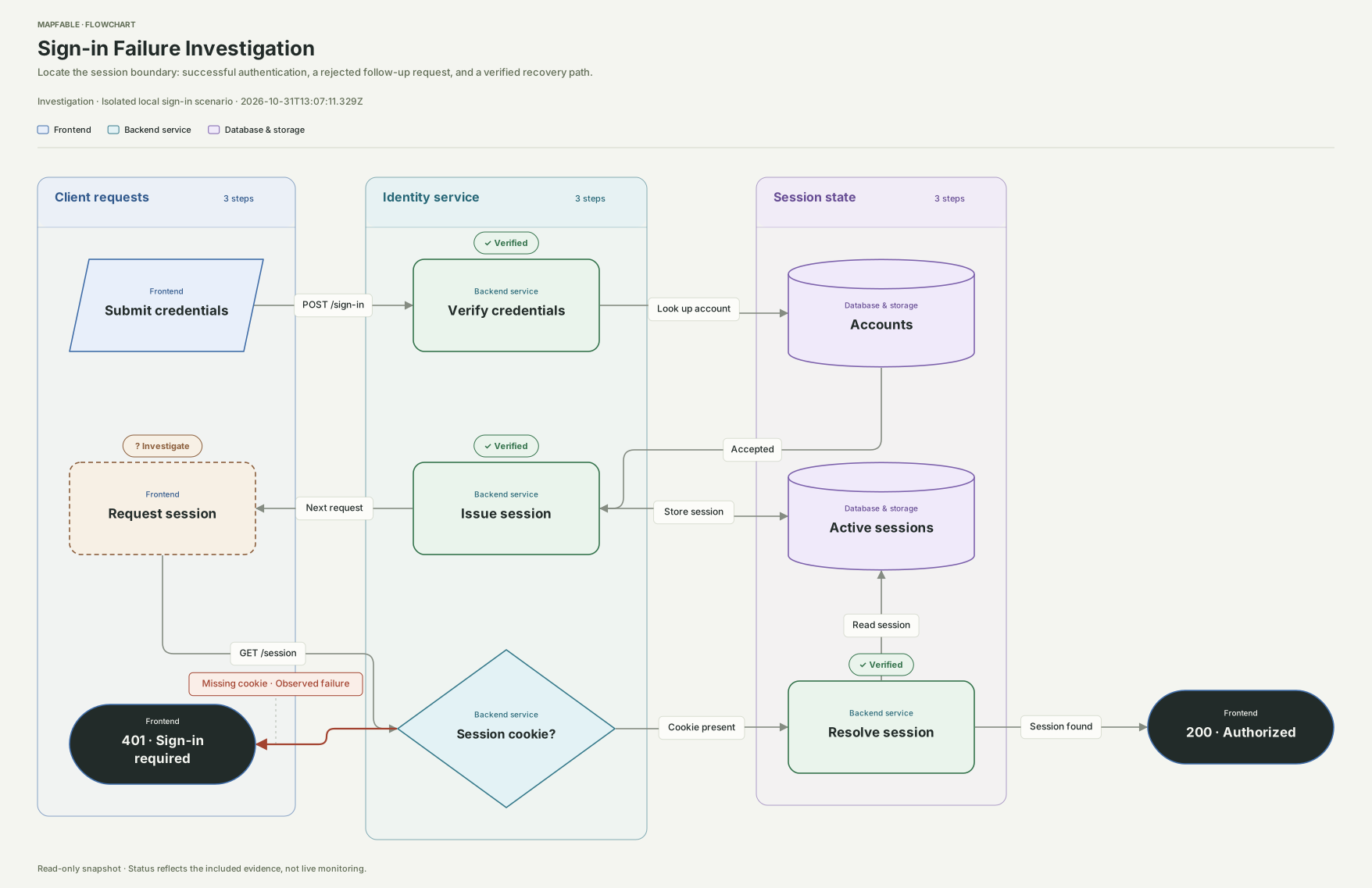 Explore the reference
Sign-in succeeds, so why does the next request still return 401?
Use this example directlyMake the request yours
This page does not run AI or create a diagram.
Continue with your AI teammate.
- Connect Mapfable
Open Connect AI in your workspace and add the connection to your AI client. Open workspace
- Share your real goal
Paste the prompt and add your own process, materials or question. Your AI confirms the target project and scope.
- Open it and keep working
After saving, your AI returns the diagram link. Edit it yourself or ask your AI to continue.
Already have Mermaid?
For ordinary flowchart / graph diagrams, open Workspace → Flowcharts → Import Mermaid. Paste the code or choose an .mmd file, preview it, then create an editable diagram.
Mermaid sequence and ER diagrams cannot be imported directly yet. Choose the matching diagram type above and give the Mermaid to your AI to translate its meaning into a native diagram. Check message order, fields and relationships afterward; conversion is not guaranteed to be lossless.